AWS Cognito Security Misconfigurations
If you are the pentester dealing with the modern web applications you might have faced the use of cognito in your assessments or you might have watched the awesome video of Yassine Aboukir. A big shoutout to Yassine for the awesome talk.
This blog post is the text version of the video by Yassine that I have been keeping in my unstructured notes from quite some time. This can be useful during pentesting while hunting for cognito misconfigurations.
Introduction to AWS Cognito
- With Amazon Cognito, you can add user-signup and sign-in features and control access to your web and mobile applications.
- Amazon Cognito provides an identity store that scales to millions of users, supports social and enterprise identity federation (OIDC or SAML 2.0) and offers advanced security features.
- It consists of two main components:
- User Pools: allows sign-in and sign-up functionality.
- Identity Pools: allow authenticated and unauthenticated users to access AWS resources using temporary AWS credentials.
Cognito URLs Enumeration
- API call user pool endpoint:
cognito-idp.us-west-2.amazonaws.com - API calls to identity pool endpoint:
cognito-identity.us-west-2.amazonaws.com
Below are the AWS Cognito misconfigurations commonly seen during pentesting/bug bounty:
Unauthorized Access to AWS Services via Liberal AWS Credentials
Guest Account is Enabled — Anyone can request credentials.
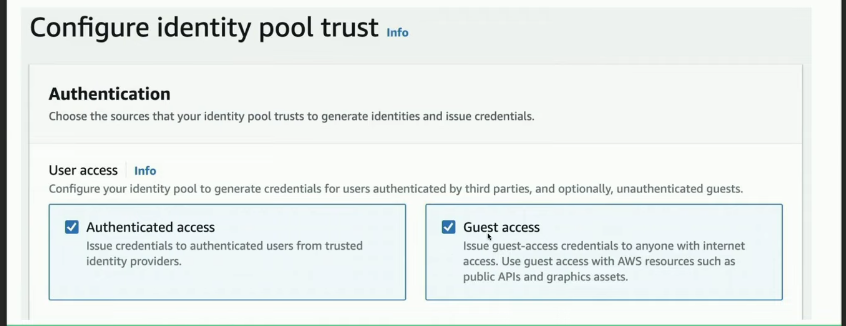
To generate AWS credentials, identify the Pool ID which is usually hardcoded in source code, a bundled JS file, or HTTP responses. Other useful information:
- Client ID
- User Pool ID
- Region
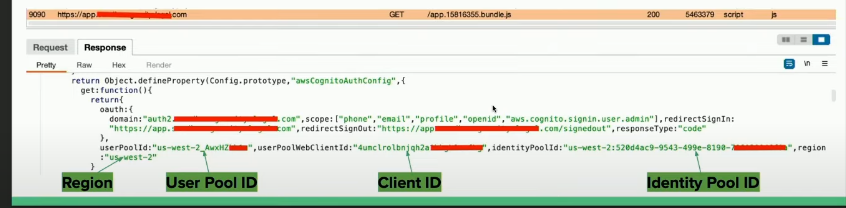
After getting the required information, use the Pool Identity ID to generate an Identity ID:
1
aws cognito-identity get-id --identity-pool-id <identity-pool-id> --region <region>

Next, use the Identity ID to generate AWS credentials:
1
aws cognito-identity get-credentials-for-identity --identity-id <identity-id> --region <region>
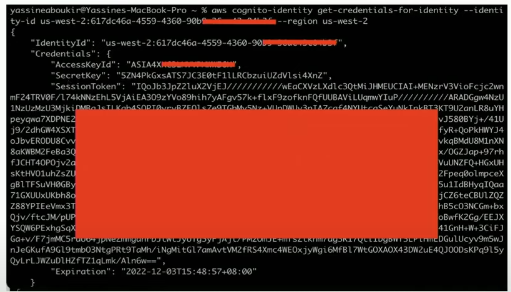
Enumerate permissions using tools like Enumerate-iam or Scout Suite:

Possible permissions for an unauthenticated user:
dynamodb.list_backups()dynamodb.list_tables()lambda.list_functions()s3.list_buckets()
If unauthenticated role is disabled:
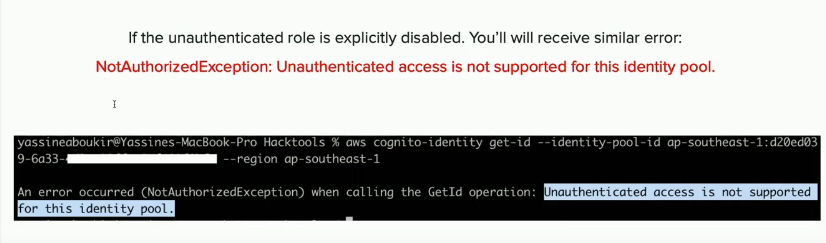
Also try fetching temporary AWS credentials as an authenticated user:
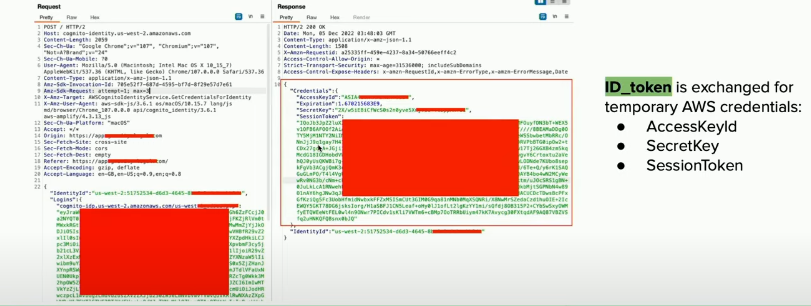
Authentication Bypass via Enabled Signup API
Applications not offering user signup but not disabling the signup API action can be vulnerable — including admin login portals.
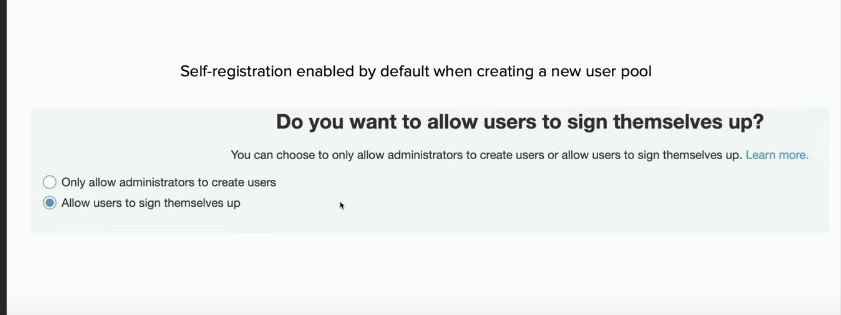
Register an account using the Client ID:
1
aws cognito-idp sign-up --client-id <client-id> --username <email_address> --password <password> --region <region>
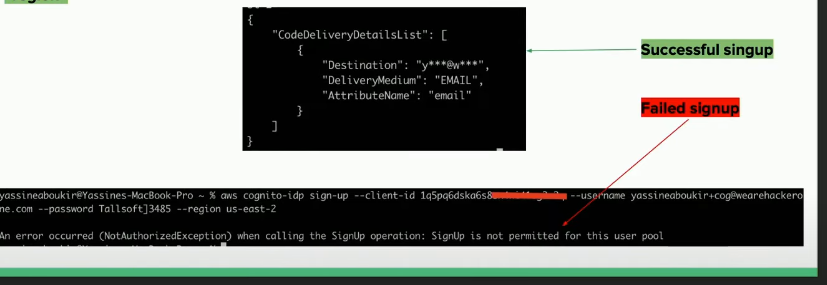
A 6-digit confirmation code will be sent to the attacker’s email:

Confirm the account:
1
aws cognito-idp confirm-sign-up --client-id <client-id> --username <email-address> --confirmation-code <confirmation-code> --region <region>
Privilege Escalation via Writable User Attributes
Unless set as read-only, custom attribute permissions are writable by default.
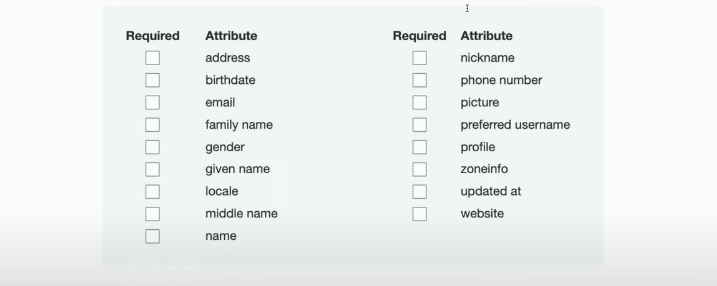
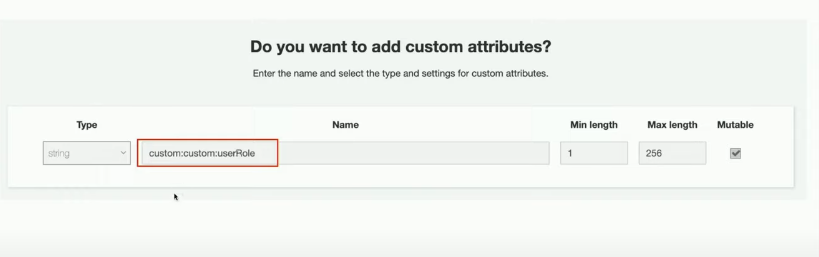
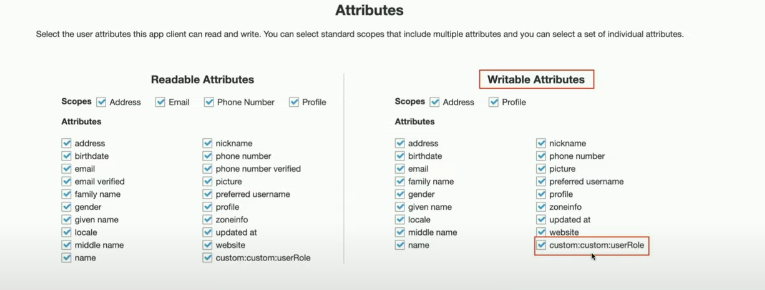
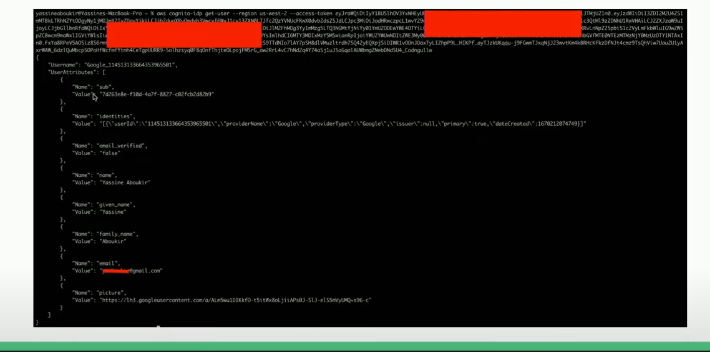
Fetch user attributes using an access token:
1
aws cognito-idp get-user --region <region> --access-token <access-token>
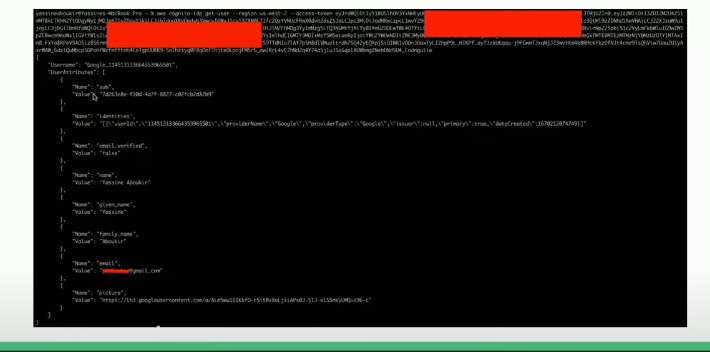
Look for custom attributes like:
custom:isAdmincustom:userRolecustom:isActivecustom:isApprovedcustom:accessLevel
Try updating them:
1
aws cognito-idp update-user-attributes --access-token <access-token> --region <region> --user-attributes Name="<attribute-name>", Value="<new-value>"
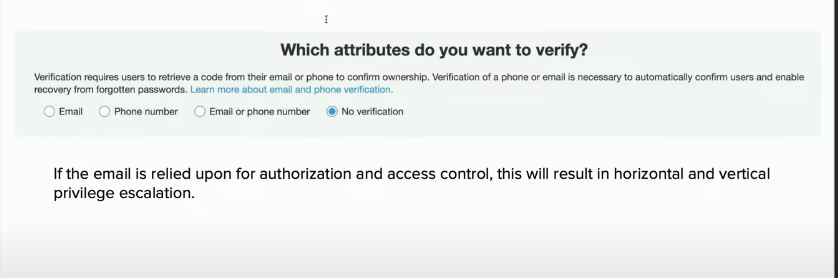
Updating Email Attribute Before Verification
1
aws cognito-idp update-user-attributes --access-token <access-token> --region <region> --user-attributes Name="email", Value="<new-email-address>"
If email verification is not enforced, this leads to horizontal and vertical privilege escalation.
Mitigation
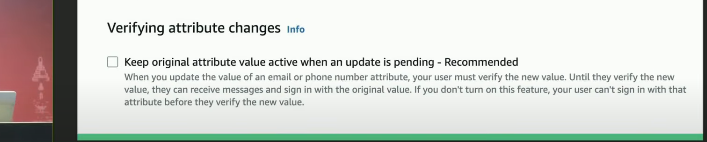
AWS introduced a new security configuration: “Keep original attribute value active when an update is pending” — which prevents the email attribute from being updated until verified.
User Account Enumeration via Signup API
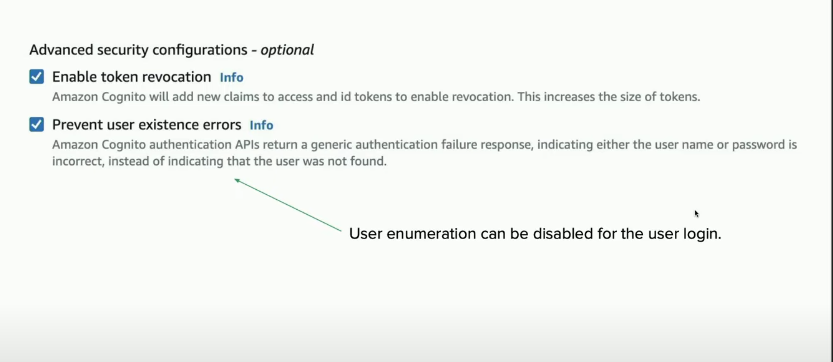
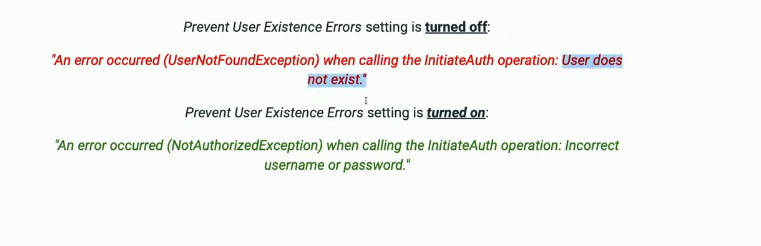
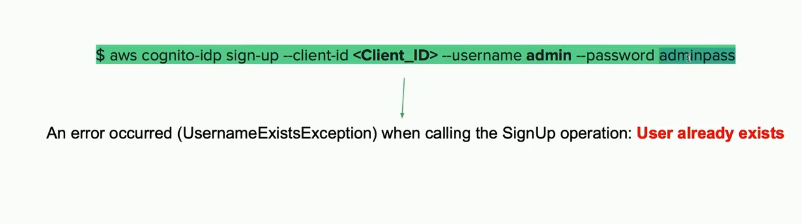
AWS fixed enumeration on login, but it’s still possible via the signup API:
1
aws cognito-idp sign-up --client-id <Client_ID> --username admin --password adminpass
Recommendations
- Remove sensitive details (e.g., identity pool IDs) from server responses.
- Disable signup on AWS Cognito if not required.
- Disable unauthenticated roles if not required.
- Review IAM policies for least privilege access.
- Evaluate all user attributes and disable write permissions where not necessary.
- Be aware that the email attribute may hold an unverified email address.
Hunting for Cognito in pentest and bug bounty often leads to high or critical severity issues. Make sure to understand the application nature and try to bypass the business logic by abusing Cognito misconfigurations. Thank you for reading!