Finding Credentials with GitHub Dorking
In the month of March, I was learning more about GitHub dorking. I went through writeups, blogs, and videos to learn about it. After spending some time, there was an itch inside me forcing me to try it on a real world target.
I searched for a responsible disclosure program using this Google dork:
1
site:com intext:responsible disclosure
I randomly chose a target and started GitHub dorking based on the given scope. After trying a bunch of dorks:
1
2
3
"target.com" password
"target" password
"target.com" path:env
I landed on a var.tf file on GitHub. Navigating inside the file, I found the domain admin username, password, and the vsphere_server IP address associated with the organization’s TLD.
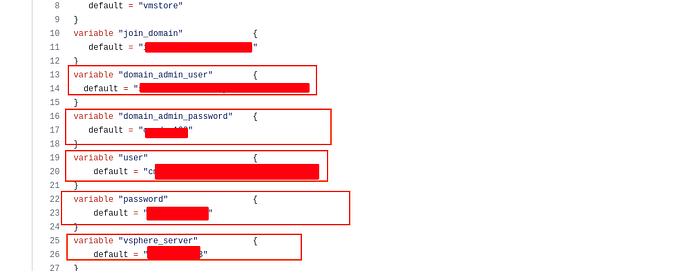
Since the credentials were used inside the organization’s infrastructure and without strong evidence that the GitHub repository belonged to an organization employee, this is a weak finding in bug bounty. Also, their responsible disclosure program explicitly mentioned that actively auditing their infrastructure based on credentials found on the internet is strictly prohibited.
Anyway, I decided to report it. After some days they replied:
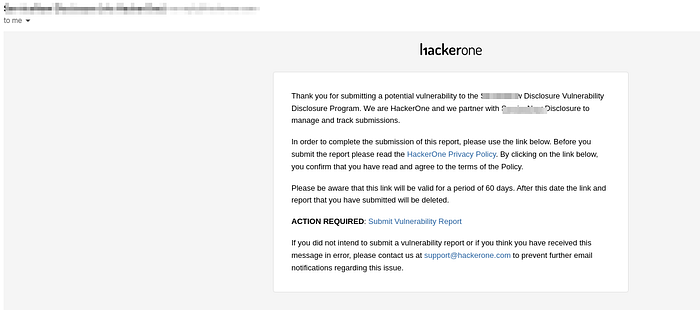
I accepted the invitation and proceeded. Some days later, a HackerOne triager replied that the repo didn’t belong to the organization — and if I could provide proof, they would proceed further.

I left it right there after reading the reply. The next day, I received another message — the report was triaged with medium severity. On March 21st, they fixed the issue by removing the GitHub repo and closed the report as Resolved.

Although it was a VDP (Vulnerability Disclosure Program), the experience was quite good. Here are some resources to learn GitHub dorking:
Resources
- Your full map to Github recon and leaks exposure
- YouTube: GitHub Dorking
- GitHub Dorks Collection
- Jason Haddix’s GitHub Dorks Gist
Thank you everyone.